
How to Fix Shaky Hands Photography: The Complete Guide to Sharp, Blur-Free Images

Camera shake is one of the most frustrating and persistent barriers every photographer faces, whether you are a complete beginner or a seasoned professional. You frame the perfect shot, press the shutter — and the result is a soft, blurry image that simply does not do the scene justice. The good news is that learning how to fix shaky hands photography is entirely achievable with the right combination of technique, camera settings, equipment, and post-processing tools.
This comprehensive guide walks you through every layer of the problem — from understanding what causes camera shake to building the body stability and workflow habits that will transform your images. Whether you shoot sweeping landscapes, wildlife, street scenes, or even the misty beauty of natural hot springs at sunrise, sharp handheld photography is a skill you can master.
What Is Camera Shake and Why Does It Happen?
Camera shake refers to unintended movement of the camera body during an exposure, resulting in motion blur that spreads uniformly across the entire frame. It is distinct from focus blur, where the subject appears soft but static background elements stay sharp, and from subject motion blur, where a moving subject blurs while the background remains crisp.
Camera shake, by contrast, blurs everything simultaneously — your subject, the background, the horizon line — because the camera itself moved while the sensor was recording light.
Why Camera Shake Is More Visible Than You Expect
Even the tiniest hand tremor is magnified through the lens. The longer your focal length, the worse the effect. A slight wobble at 200mm looks far worse than the same wobble at 24mm. Similarly, any time your shutter speed is slow — such as during low-light shooting, golden-hour photography at hot springs destinations, or indoor events — even the most subtle hand movement becomes visible in your images.
The Three Root Causes of Camera Shake
Before you can fix the problem, it helps to understand exactly where it comes from. Camera shake typically falls into three overlapping categories:
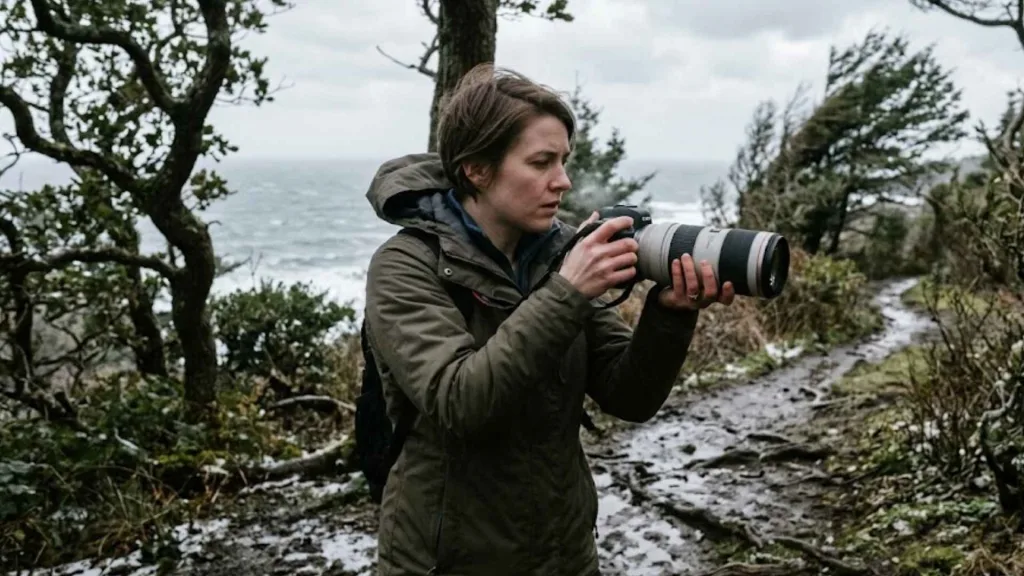
- Physical causes include your grip posture, muscle fatigue, and natural hand tremor. Unbraced elbows, heavy gear, or prolonged shooting sessions without rest all contribute. Some photographers also live with a condition called benign essential tremor — an involuntary, rhythmic shaking that is entirely manageable with the right workflow.
- Technical causes involve shutter speed selection, image stabilization settings, and exposure balance. Using a shutter speed that is too slow for your focal length is the single most common technical mistake.
- Environmental causes include dim lighting, uneven terrain, gusty wind, or cold temperatures that cause muscle stiffness. These external factors increase the demand on your physical technique and your camera settings simultaneously.
Understanding which category your blur falls into lets you apply the most targeted fix rather than guessing.
How to Hold Your Camera to Minimize Shake?
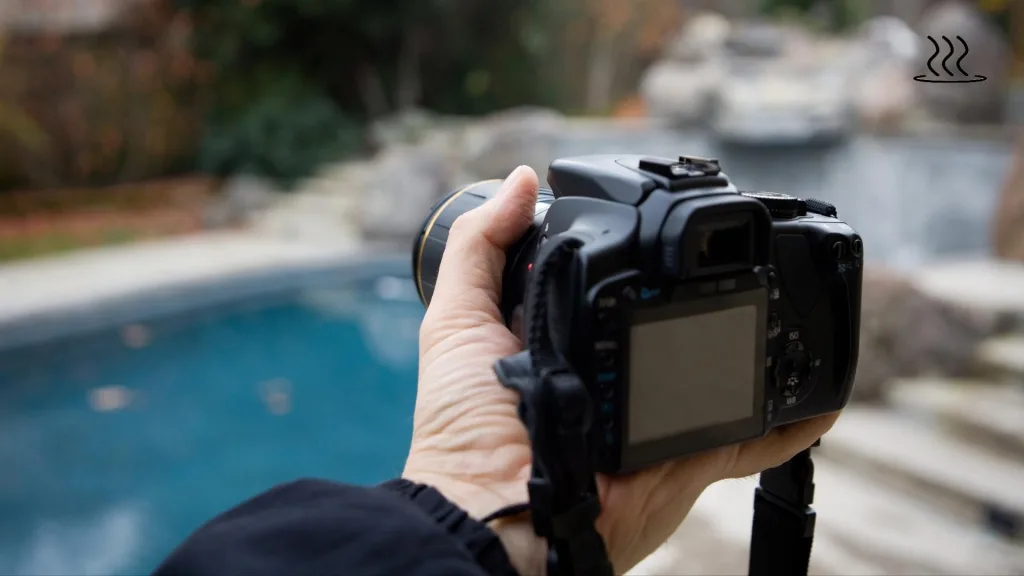
Your grip and body position are your first and most powerful line of defense. Proper biomechanics reduce tremor amplification and create a stable shooting platform that no amount of post-processing can replicate.
The Two-Hand Support Grip
- Right hand: wrapped firmly around the camera grip, with your index finger resting lightly on the shutter release — not pressing down with tension.
- Left hand: cupped underneath the lens barrel, supporting the weight from below rather than gripping the sides.
- Elbows: tucked tightly against your ribcage, forming a stable triangular brace with your torso.
- Shoulders: relaxed but engaged — avoid hunching or lifting them, as tension in the shoulders travels directly into your hands.
Stance and Body Contact Points
- Stand with feet shoulder-width apart, one foot slightly forward, and knees softly flexed.
- Weight distributed evenly — do not shift onto your heels or lean back.
- Apply the three-point contact rule: camera-to-hands, hands-to-body, and body-to-ground.
- Whenever possible, brace against a wall, doorframe, tree trunk, fence post, or railing to add a fourth contact point. Even sitting down and resting the camera on your knee dramatically reduces movement.
- Press the viewfinder gently against your forehead for an additional contact point that steadies the entire system.
Breathing and Shutter Discipline
Your breathing cycle creates rhythmic micro-movement in your torso and arms. To counter this:
- Inhale normally, exhale halfway, pause briefly at the natural respiratory pause, then depress the shutter.
- Never hold your breath fully — this increases muscle tension and actually introduces more tremor.
- Use a smooth rolling press: half-press to lock focus, then a calm full-press to capture.
- In situations where shutter speed is marginal, use burst mode (3–5 frames). The middle frame in a burst is statistically the sharpest because the initial button-press shock has dissipated.
Field-Proven Stabilization Tricks
Two improvised techniques are worth knowing:
The string tension monopod involves tying a length of cord to your tripod socket and looping the other end under your foot. Pull the cord taut while shooting to create instant vertical resistance. It costs almost nothing and delivers up to two stops of effective stabilization.
The camera strap brace uses your existing neck strap: pull it taut while shooting so that the counter-tension dampens forward and backward sway. Both methods are practical options when you are traveling light — ideal if you are out photographing steaming geothermal pools or any location where soaking and exploring destinations calls for minimalist gear.
Camera Settings That Prevent Blur From Shaky Hands
Even perfect physical technique cannot overcome settings that are fundamentally too slow for handheld shooting. Your exposure settings must work with your body, not against it.
The Reciprocal Rule
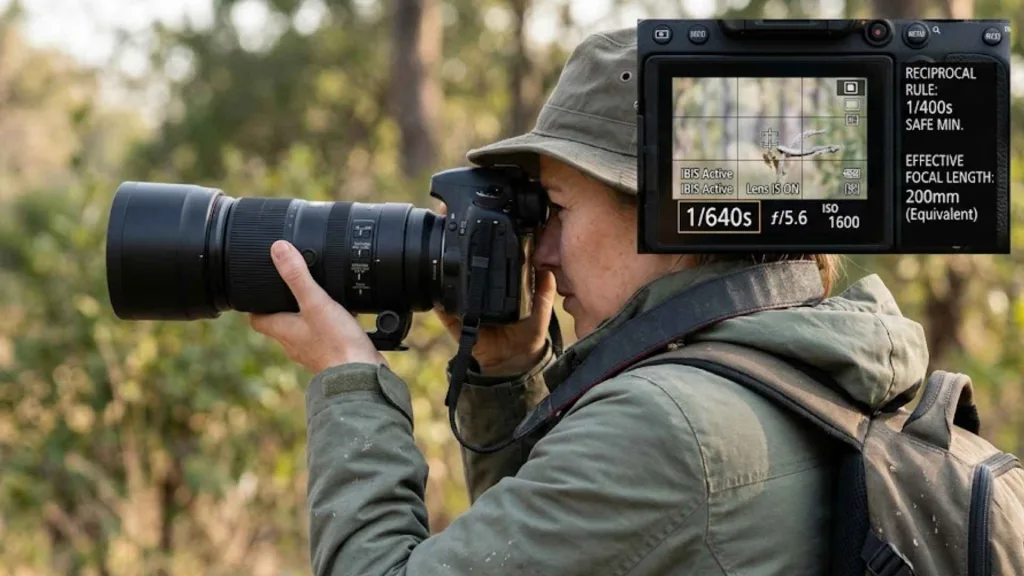
The reciprocal rule is the foundation of every shutter speed decision for handheld photography:
Minimum safe shutter speed ≈ 1 ÷ focal length (in 35mm equivalent)
Practical examples:
- 35mm lens → minimum 1/35s (use 1/50s for a safe margin)
- 85mm lens → minimum 1/85s (target 1/100s)
- 200mm lens → minimum 1/200s (target 1/400s for telephoto safety)
- 300mm lens → minimum 1/300s (target 1/500s–1/600s)
If you shoot with a crop sensor camera, multiply the focal length by your crop factor first. A 50mm lens on an APS-C body behaves like a 75mm equivalent, so your minimum becomes 1/80s rather than 1/50s.
ISO and Aperture Strategy
When light drops and your shutter speed falls toward your minimum threshold, the correct priority order is:
- Raise shutter speed first — sharpness takes precedence.
- Open aperture to compensate for light loss (f/1.4–f/2.8 when available).
- Raise ISO last — modern sensors handle ISO 1600–6400 cleanly. A sharp image at ISO 6400 is always better than a blurry image at ISO 400.
Accepting a slightly noisier image is a worthwhile trade-off when the alternative is camera shake.
Image Stabilization: When to Use It and When to Turn It Off
| Stabilization System | Effective Range | Best Scenario | When to Disable |
| Lens OIS / VR | 3–4.5 stops | Telephoto lenses, long handheld sessions | On a tripod (can induce micro-drift) |
| IBIS (In-Body) | 5–8 stops (modern mirrorless) | Wide and standard focal lengths, video | When panning with moving subjects |
| Hybrid (IBIS + Lens OIS) | Up to 8+ stops | Low-light extreme telephoto | Rarely needed; only if firmware conflicts |
Always confirm your stabilization is switched on before shooting. Many photographers lose sharp images simply by forgetting to re-enable IS after a tripod session.
Equipment That Reduces Camera Shake Without a Full Tripod
Gear supports your technique — it does not replace it. Choose stabilization tools based on your shooting context and mobility needs.
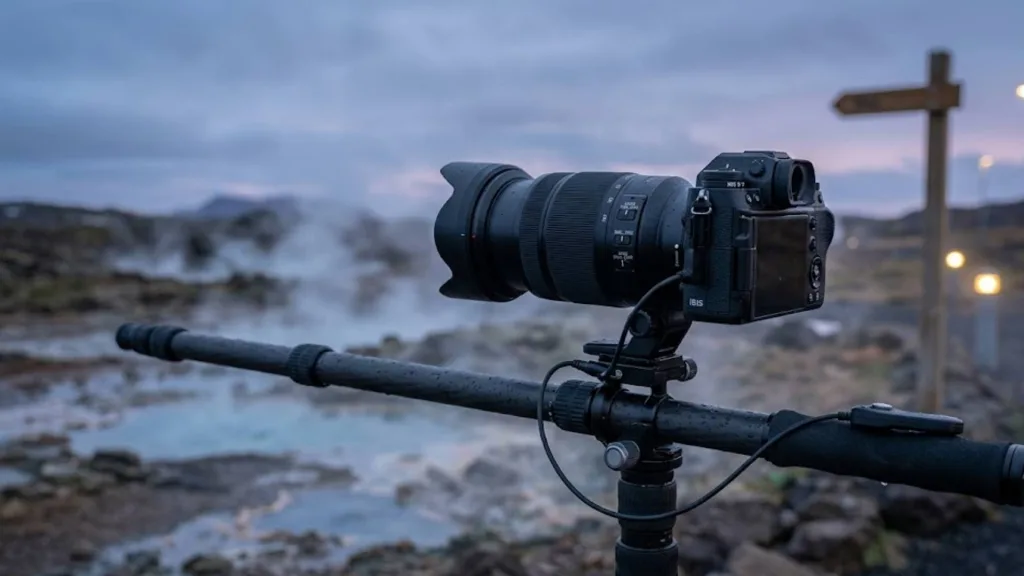
Support Equipment Hierarchy
- Tripod: The gold standard for maximum stability. Essential for long exposures, architecture, slow-shutter waterfall shots, and astrophotography. Carbon fiber models reduce weight for travel.
- Monopod: Provides substantial vertical support while preserving full mobility — ideal for sports, wildlife, and events photography.
- Gimbal stabilizer: Primarily useful for video work. For hybrid shooters, gimbals like the DJI RS series are transformative even with a slight hand tremor.
- Bean bag or clamp mount: Excellent for improvised stabilization on rocks, car rooftops, railings, or the edge of a hot spring viewing platform.
- Pocket tripod: Lightweight, packable, and useful for low-angle shots or static scenes.
Lens and Camera Body Selection
- Lenses with built-in optical stabilization are highly recommended for anyone shooting handheld regularly.
- Fast prime lenses (f/1.4 or f/1.8) reduce your reliance on high ISO and slow shutter speeds in low light.
- Modern mirrorless bodies generally offer superior IBIS integration compared to DSLRs, with significant improvements in stabilization effectiveness.
- Keep total kit weight under 1.5kg for extended handheld shooting to delay the onset of fatigue-induced shake.
How to Fix Shaky Hands Photography When Shooting in Challenging Conditions?
Understanding how to fix shaky hands photography in standard conditions is one thing — applying it under challenging real-world conditions is another. Here are the most common difficult scenarios and how to handle each one.
Low-Light and Indoor Photography
Low-light environments force slower shutter speeds, which makes technique even more critical.
- Combine wide aperture + elevated ISO + active stabilization + body bracing simultaneously.
- Exploit available ambient light: windows, streetlamps, candles, and signage all provide workable directional light.
- Shoot in RAW format so you can recover shadow detail in post without introducing noise-related softness.
- Use a remote shutter release or the camera’s self-timer (2-second delay) to eliminate button-press vibration entirely.
Telephoto and Wildlife Photography
Telephoto focal lengths amplify shake dramatically, requiring a stricter approach.
- Apply the reciprocal rule at 1.5× to 2× your focal length for extra margin (shoot 1/500s for a 300mm lens, not just 1/300s).
- Use a monopod during long waits to reduce arm fatigue.
- Disable stabilization entirely when panning with a moving subject — IS systems can misread panning motion as shake and actually introduce blur.
- Use continuous subject-tracking autofocus to prevent focus hunting, which itself creates soft images.
Photography at Scenic Natural Locations
Dramatic natural locations — including geothermal areas, remote hot springs, and steam-filled landscapes — often combine beautiful soft light with difficult shooting conditions: uneven terrain, cold temperatures, steam obscuring the viewfinder, and long distances from subjects. When you visit places like those featured on Soak Destinations, plan your technique in advance: identify stable surfaces to brace against, pack a lightweight monopod, and use a faster-than-minimum shutter speed to account for environmental movement.
Shooting with Benign Essential Tremor or a Medical Condition
Tremor does not prevent you from producing professional-quality photography. Many working photographers live with and adapt to essential tremor successfully. The key adjustments are:
- Maintain shutter speeds of 1/250s or faster whenever possible.
- Rely heavily on IBIS/OIS hybrid stabilization systems.
- Use burst mode combined with AI culling software to identify the sharpest frames automatically.
- Manage lifestyle factors that worsen tremor — caffeine intake, stress, dehydration, and fatigue all have measurable effects on hand steadiness.
- Speak with a healthcare provider about options; some photographers benefit from medication like propranolol on shoot days, though this is a personal medical decision made with professional guidance.
The mindset shift matters as much as the technique: adapt your workflow around the condition rather than fighting it.
Post-Processing Recovery: Fixing Blur After the Shot
Even with excellent technique, occasional soft images are inevitable. Modern tools offer genuine recovery options — though prevention always produces better results than correction.
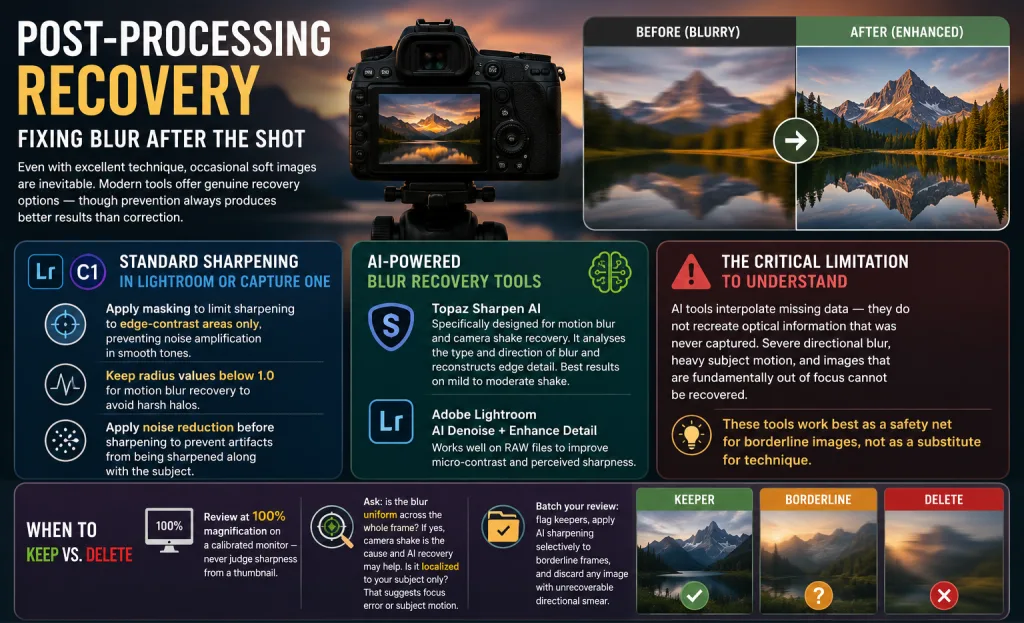
Standard Sharpening in Lightroom or Capture One
- Apply masking to limit sharpening to edge-contrast areas only, preventing noise amplification in smooth tones.
- Keep radius values below 1.0 for motion blur recovery to avoid harsh halos.
- Apply noise reduction before sharpening to prevent artifacts from being sharpened along with the subject.
AI-Powered Blur Recovery Tools
- Topaz Sharpen AI: Specifically designed for motion blur and camera shake recovery. It analyses the type and direction of blur and reconstructs edge detail. Best results on mild to moderate shake.
- Adobe Lightroom’s AI Denoise + Enhance Detail: Works well on RAW files to improve micro-contrast and perceived sharpness.
The critical limitation to understand: AI tools interpolate missing data — they do not recreate optical information that was never captured. Severe directional blur, heavy subject motion, and images that are fundamentally out of focus cannot be recovered. These tools work best as a safety net for borderline images, not as a substitute for technique.
When to Keep vs. Delete
- Review at 100% magnification on a calibrated monitor — never judge sharpness from a thumbnail.
- Ask: is the blur uniform across the whole frame? If yes, camera shake is the cause and AI recovery may help. Is it localized to your subject only? That suggests focus error or subject motion.
- Batch your review: flag keepers, apply AI sharpening selectively to borderline frames, and discard any image with unrecoverable directional smear.
Training Your Hands for Consistently Sharp Images
Physical stability is a trainable skill, not a fixed trait. Deliberate practice builds neuromuscular adaptation that compounds over weeks of consistent effort.
Daily Stability Drills (5–10 Minutes)
These short daily exercises make a measurable difference within three to four weeks:
- Dry-fire drill: Hold the camera at eye level without shooting. Practice smooth, slow shutter presses while maintaining your elbow tuck and breathing cycle. This isolates the mechanical skill of pressing the shutter without introducing movement.
- Threshold testing: Shoot a static subject at progressively slower shutter speeds — 1/60s, then 1/30s, then 1/15s — with a fixed focal length. Review at 100% to identify your current personal handheld limit. Track improvement weekly.
- Support comparison: Shoot identical frames freehand, then wall-braced, then with strap tension. Comparing results trains your eye to recognise the difference and reinforces correct habits.
A Self-Assessment Checklist
Before every shoot, confirm:
- [ ] Shutter speed is at or above the reciprocal rule minimum for my focal length
- [ ] Elbows are tucked, not floating
- [ ] Image stabilization is switched on and set to the correct mode
- [ ] I am bracing against something solid when available
- [ ] I am reviewing critical shots at 100% before moving to a new location
A Progressive Challenge Ladder
Work through these milestones in order:
- Achieve consistent sharpness at 1/60s with a 35mm lens freehand.
- Hold 1/30s sharp using wall-bracing and breathing control.
- Capture sharp 200mm shots at 1/200s with active stabilization.
- Shoot an indoor event at 1/80s, f/2.8, ISO 3200 without flash and achieve a 70%+ keeper rate.
Progress through each level before moving to the next. Tracking your keeper rate over time is the clearest indicator of genuine improvement.
Final Takeaways
Knowing how to fix shaky hands photography is ultimately about building a complete, layered system — not relying on any single fix. Lock in your grip and body position as a non-negotiable foundation. Set your shutter speed before anything else in the exposure triangle. Enable stabilization systems appropriately, knowing when to switch modes or disable them. Invest in support gear that suits your shooting style rather than the most expensive option available. And practice deliberately, reviewing your results critically rather than shooting on autopilot.
Wherever your photography takes you — from the steam rising off a remote hot springs pool at dawn to a fast-moving wildlife encounter — sharp, confident handheld shooting is within reach. The photographers who master it are not necessarily those with the steadiest hands; they are the ones who have built the smartest system around the hands they have.